View form 26AS by PAN No
View form 26AS by PAN No : आपका टैक्स क्रेडिट स्टेटमेंट या Form 26AS, ITR Filing के लिए एक महत्वपूर्ण डॉक्यूमेंट है। पहले टैक्सपेयर को मैन्युअल रूप से ITR File करने के लिए फॉर्म 26AS डाउनलोड करना पड़ता था। लेकिन अगर आप Income Tax Portal से ITR फाइल करते है तो फॉर्म 26AS का डाटा ऑटो पॉप्युलेट होता है और आपको ज्यादा जानकारी भरने की आवश्यकता नहीं होती। फिर भी यदि आपको फॉर्म 26AS Download या View करने की आवश्यकता है तो इस आर्टिकल में हमने Step by step प्रोसेस का वर्णन किया है।
Form 26AS एक समेकित वार्षिक टैक्स विवरण है जो
- स्रोत पर कर कटौती (Tax Deduction at source)
- स्रोत पर एकत्र कर (Tax Collected at Source)
- निर्धारिती द्वारा भुगतान किए गए अग्रिम कर (Advance Tax Paid by Assessee) और
- स्व-मूल्यांकन कर (Self Assessment Tax)
का विवरण दिखाता है। यह जानकारी एक PAN No. के आधार पर बना होता है और एक पैन नंबर के लिए विशिष्ट है।
What type of data is included in Form 26AS?
- वित्तीय वर्ष के दौरान आपको प्राप्त आयकर रिफंड का विवरण
- कटौतीकर्ताओं द्वारा काटे गए कर का विवरण
- टैक्स कलेक्टर द्वारा कलेक्ट किये गए टैक्स का विवरण
- अचल संपत्ति की बिक्री पर काटे गए कर का विवरण
- करदाता द्वारा डिपाजिट किया हुआ Advance tax / self-assessment tax / regular assessment tax आदि का विवरण
- Mutual Fund, Shares, Bonds आदि Investment Schemes में लेनदेन का विवरण
- TDS Return प्रोसेस करने में हुई चूक का विवरणGSTR -3B के आधार पर Turnover का विवरण
इसे भी पढ़े : How to link Aadhaar with PAN card online step by step
Structure and Parts of Form 26AS
- Part A : Details of Tax Deducted at Source
- Part A1 : Details of Tax Deducted at Source for 15G/15H
- Part A2 : Details of Tax Deducted at Source on the Sale of Immovable Property u/s194(IA)/TDS on Rent of Property u/s 194IB/TDS on Payment to Resident contractors and professionals u/s 194M(For Seller/Landlord of Property/ Payee of resident contractors and professionals)
- Part B : Details of Tax Collected at Source
- Part C : Details of Tax Paid (other than TDS or TCS)
- Part D : Details of Paid Refund
- Part E : Details of SFT Transaction
- Part F : Details of Tax Deducted at Source on the sale of Immovable Property u/s194(IA)/TDS on Rent of Property u/s 194IB/TDS on payment to resident contractors and professionals u/s 194M**(For Buyer/Tenant of Property/Payer of resident contractors and professionals)**
- Part G : TDS Defaults* (processing of Statements)
- Part H : Details of Turnover as per GSTR-3B
TRACES Portal
TRACES का फुल फॉर्म TDS (Tax Deduction at Source) Reconciliation Analysis and Correction Enabling System होता है। आप (Taxpayer/Deductee) TRACE Portal के मदद से अपना Form 26AS Download या देख (View) सकते है, और यह आपके PAN No के बिना संभव नहीं है। आपके विरुद्ध काटा गया TDS आप फॉर्म 26AS में देख सकते है। इसके अलावा FormB downlaod और TDS Certificate Verify कर सकते है।
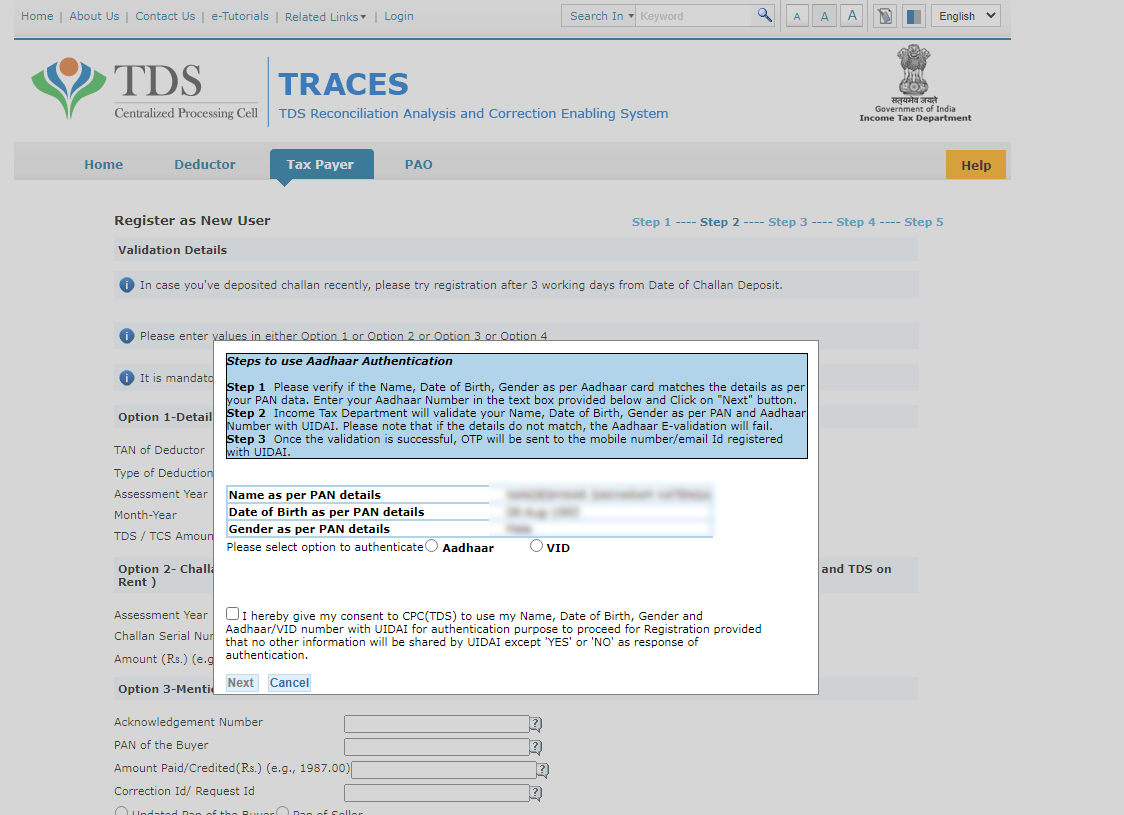
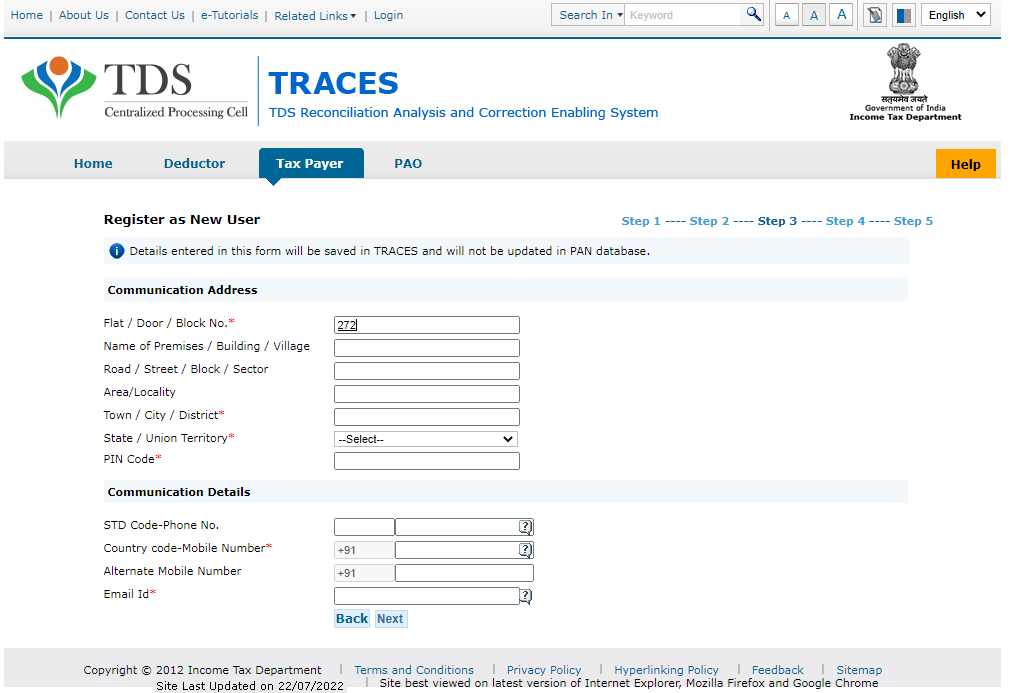
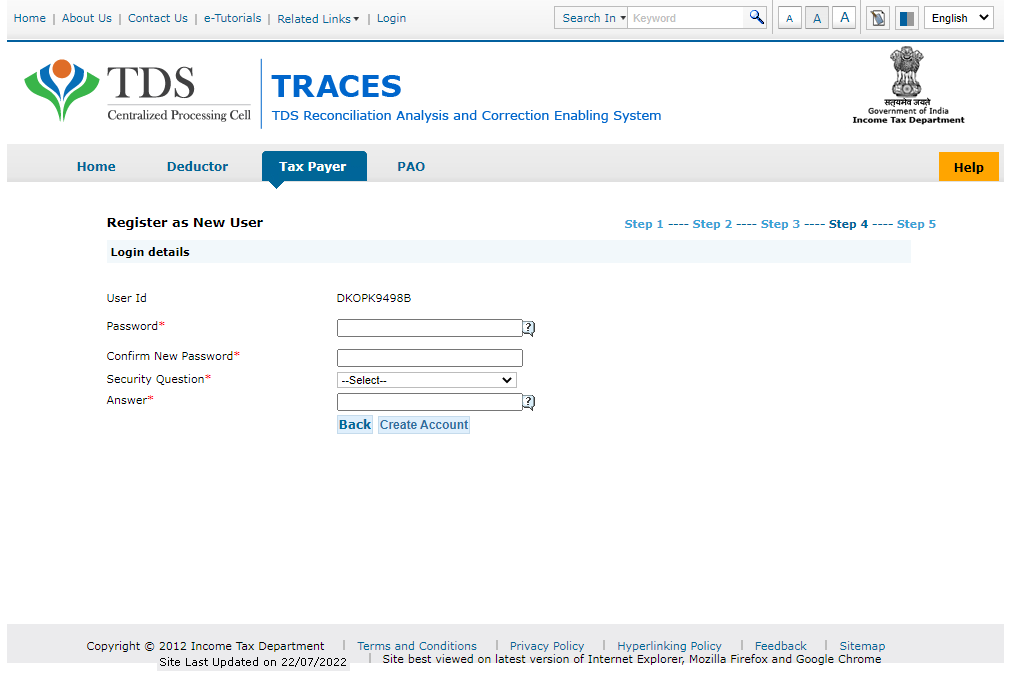
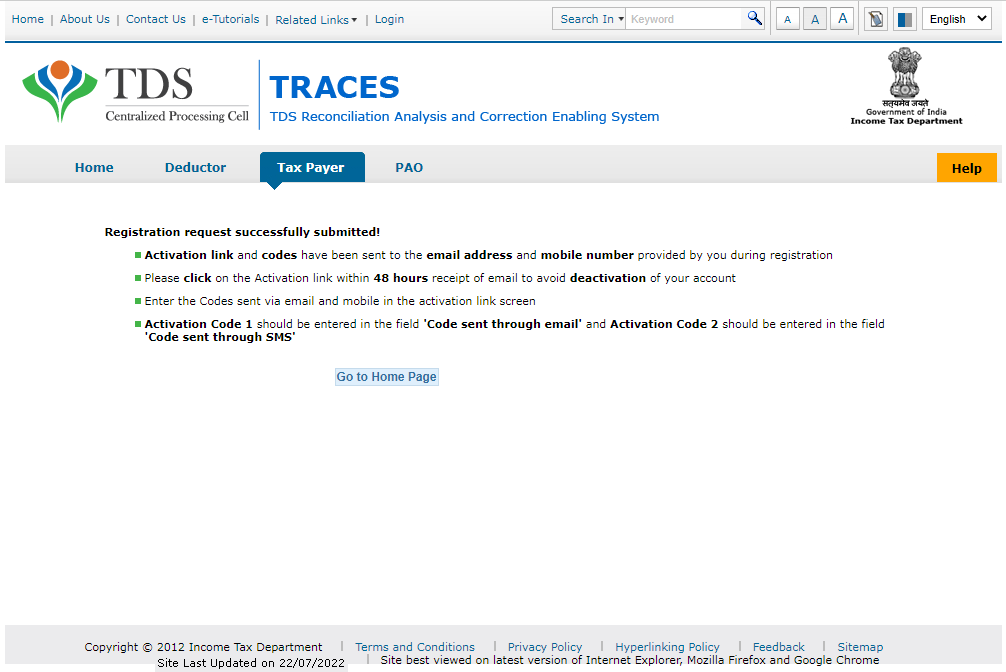
TRACES Portal पर Registration के लिए आपके पास एक TDS Certificate होना अनिवार्य है। अगर TDS Certificate ना हो तो आप Aadhar-OTP के माध्यम से आधार प्रमाणीकरण करके रजिस्ट्रेशन कर सकते है। इस आर्टिकल में रजिस्ट्रेशन कैसे कर सकते है , यह जानने के लिए यहां क्लिक करें।
Method 1 : Direct TRACES Portal
View form 26AS by PAN No
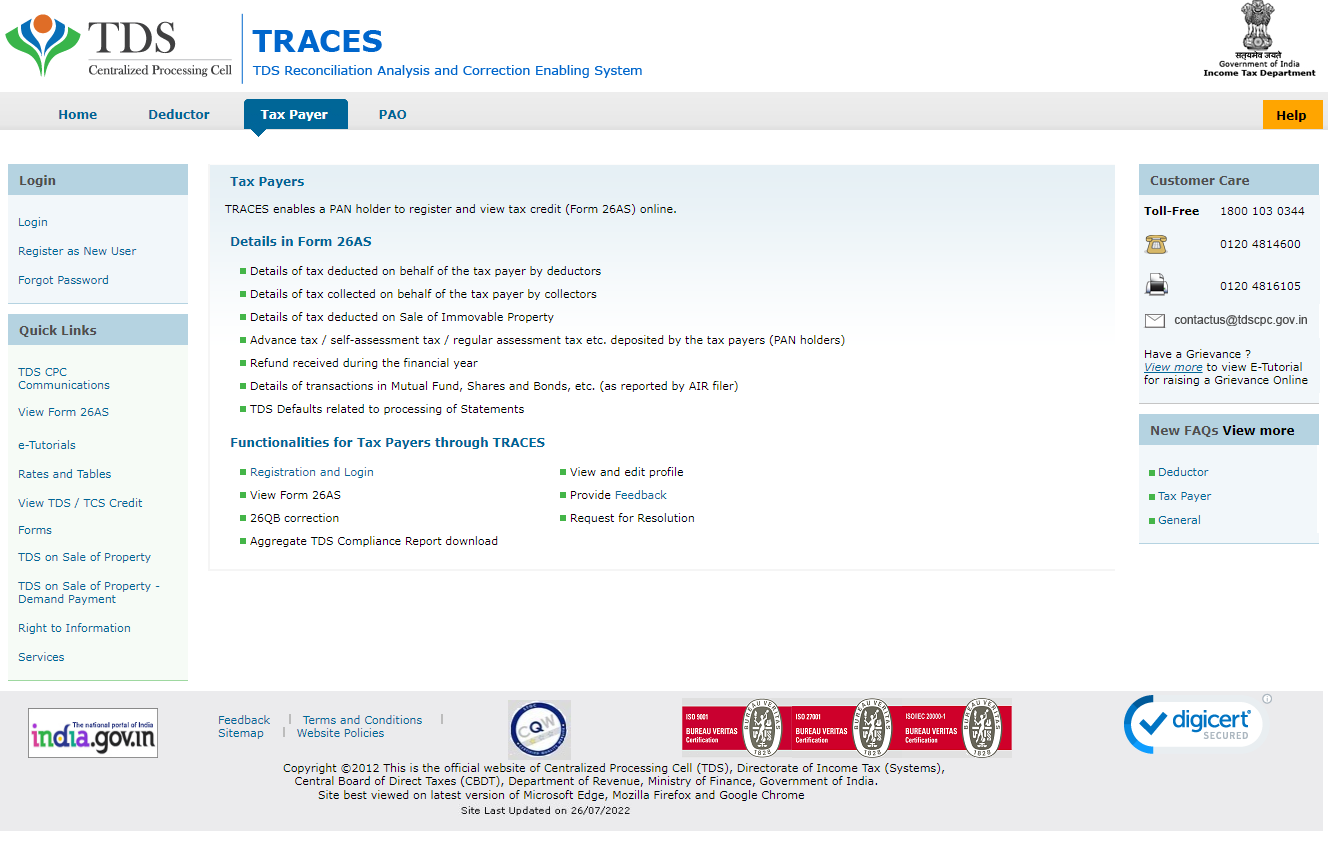
- सबसे TRACES का वेबसाइट अपने ब्राउज़र में खोले – https://contents.tdscpc.gov.in/en/taxpayer-home.html (Link for Taxpayers)
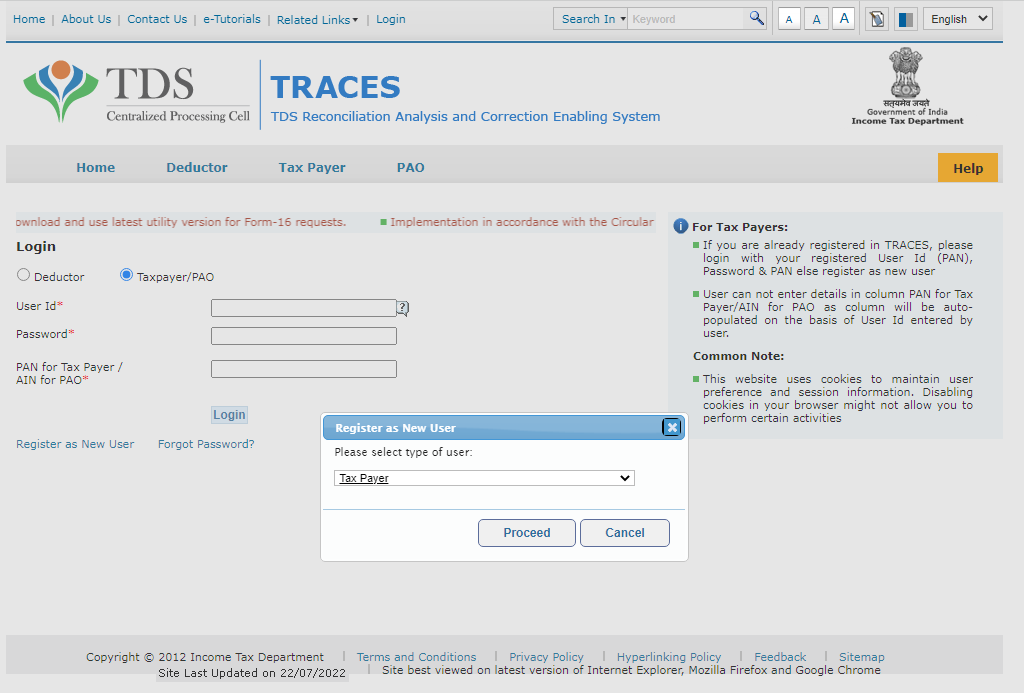
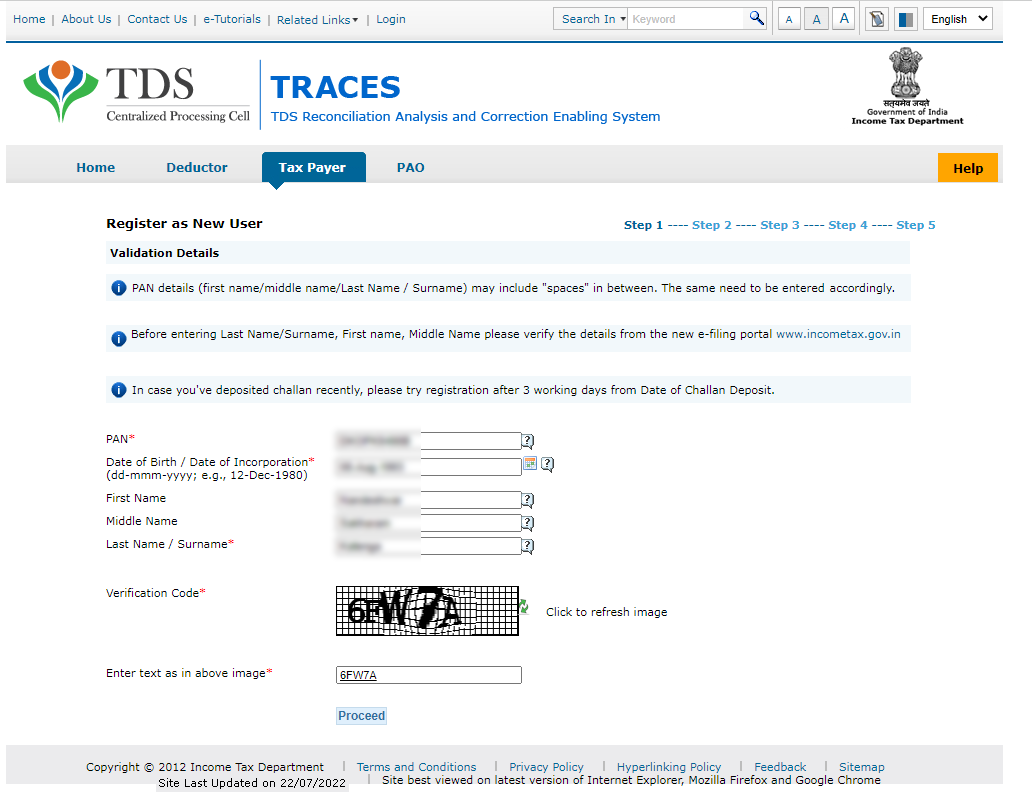
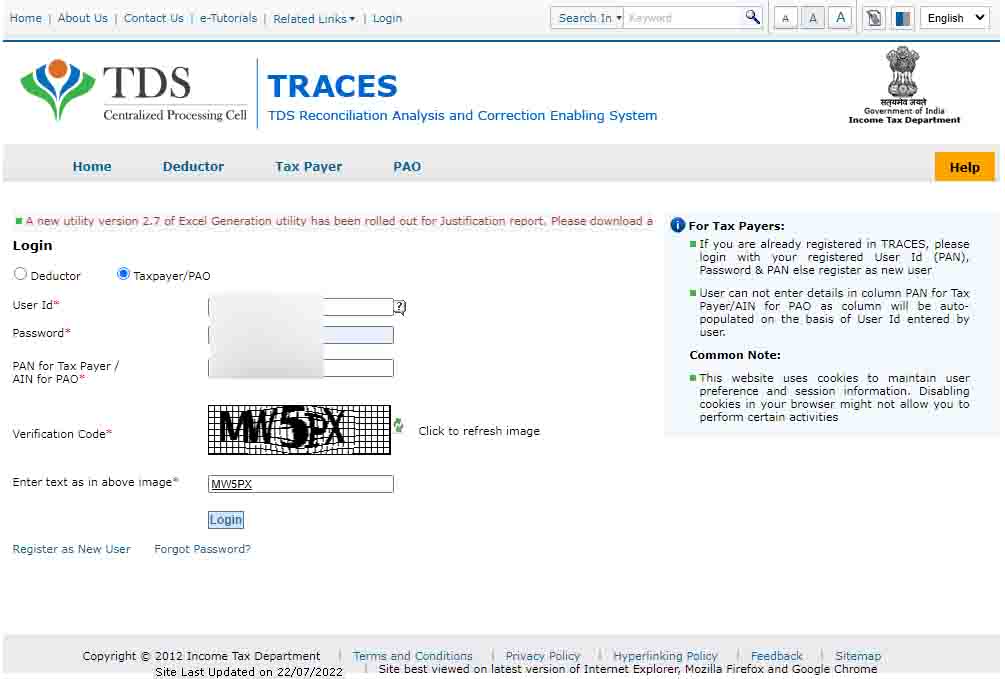
- लिंक ओपन करने के बाद Registration Process Complete करें या ID/Password हो तो डायरेक्ट Login करें।
- लॉगिन करने के बाद डैशबोर्ड पर मेनू में “View/Verify Tax Credit” पर क्लिक करें।
- आगे, अस्सेस्मेंट ईयर (Assessment Year) और फाइल फॉर्मेट (TEXT, HTML, EXCEL, PDF) में से कोई एक फाइल फॉर्मेट सेलेक्ट करें।
- अगर आप FORM26AS Download करना चाहते है तो TEXT, EXCEL या PDF फॉर्मेट चुनने के बाद डाउनलोड कर सकते है।
- EXCEL फॉर्मेट सेलेक्ट करने पर एक Request Number जनरेट होता है, उसे कॉपी करके रखे और “Downloads” सेक्शन में जाकर “Requested Download” सबमेनु पर क्लिक करें। आगे, इस नंबर का उपयोग करके फॉर्म 26AS डाउनलोड कर सकते है।
- अगर Form 26AS Password Protected है तो फाइल ओपन करने के लिए अपने Date of Birth को पासवर्ड के रूप इस्तेमाल करें, जो आपके PAN Card पर प्रिंटेड है।
- यदि आप फॉर्म डाउनलोड करना नहीं चाहते तो HTML Format को चुने और लाइव पोर्टल पर ही डाटा देखें।

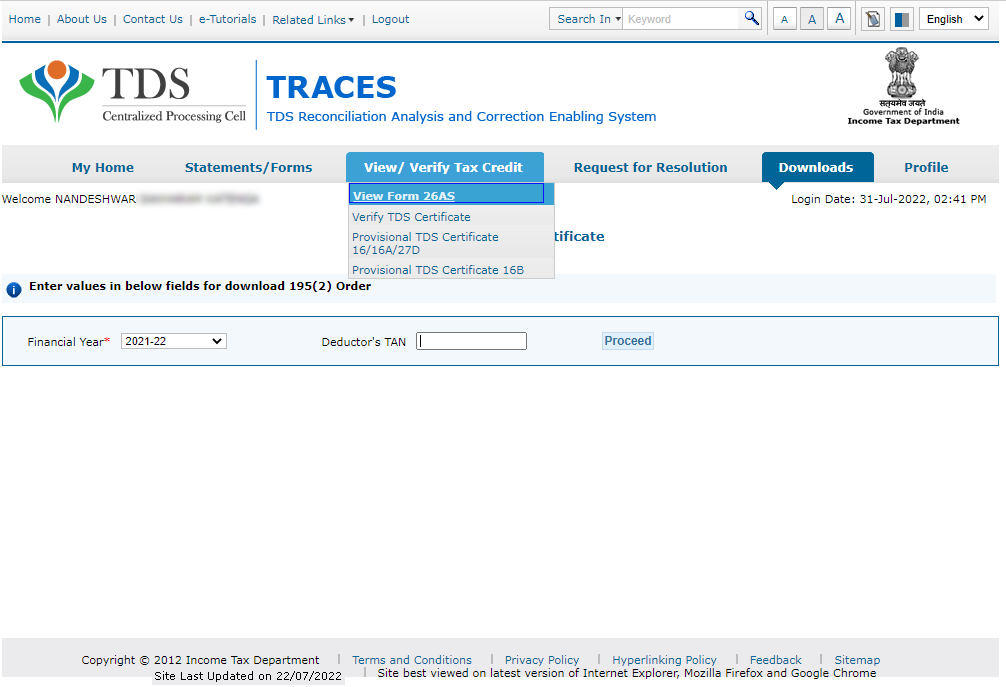
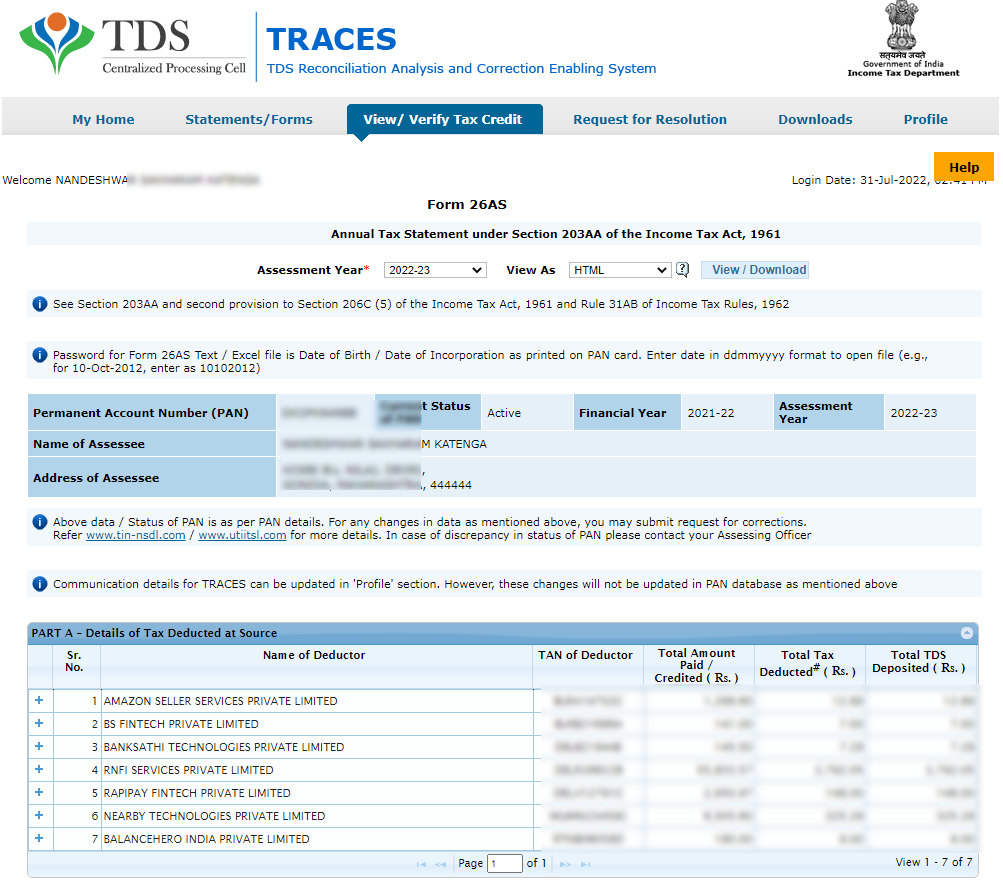
Method 2 : Using Income Tax e-Filing Portal
Income Tax e-Filing Portal के माध्यम से Form 26AS देखना बहुत आसान है और इ-फाइलिंग पोर्टल पर रजिस्ट्रेशन करना भी आसान है। यदि आप स्वयं ITR File करते होंगे तो आपके पास इ-फाइलिंग पोर्टल का आईडी/पासवर्ड अवश्य होगा।
- पैन कार्ड नंबर और पासवर्ड उपयोग करके e-Filing Website पर लॉगिन करें।
- लॉगिन करने के बाद e-File -> Income Tax Returns -> View Form 26AS सबमेनु पर क्लिक करें।
- ये ऑप्शन आपको TRACES के वेबसाइट लेकर जायेगा। आगे, मेथड 1 बताएं गए सूचनाओं का पालन करके आप अपना Form 26AS देख या Download कर सकते है।
FAQ – Frequently Asked Questions
Q. Who is a Tax Payer (Deductee)?
A Tax Payer (Deductee) is the person, from whom the tax is being deducted or accrued for deduction. Depending on the nature of the deduction being made, deductees and respective submission forms are categorized into three types:a) Salaried: In case of salaried, the deductee is termed as an Employee. All the information of deductions and payments in this category should be submitted in Form 24Q to the government.b) Non-Salaried – Resident: In case of non-salaried and payment being made to a resident in India, the deductee is termed as a Deductee or a Party. All the information of deductions and payments in this category should be submitted in Form 26Q to the government.c) Non-Salaries – Non-Resident: In case of non-salaried and payment being made to a non-resident of India, the deductee is termed as a Deductee or a Party. All the information of deductions and payments in this category should be submitted in Form 27Q to the government
Q. The details entered in TRACES profile will be changed in PAN database or not?
No, details entered at the time of registration will not be changed in PAN database. To change details in PAN database, submit PAN change request using Form 49A on www.tin-nsdl.com.
Q. Who can register on TRACES as a Taxpayer?
A PAN holder who’s TDS has been deducted or who has deposited Tax (Self-Assessment Tax,Advance Tax, TDS on Property) can register on TRACES.
Q. My TDS has been deducted by my current/Previous employer, I want to download Form 16 of the same, What is the procedure?
Functionality of downloading Form 16/16A from TRACES has been given to Deductor only. Therefore, taxpayer has to approach the deductor for Form 16/16A.
Q. I have successfully registered on TRACES, but unable to Login with my User id and Password.I am getting a blank page with no error message. What should I do?
Please clear the cache memory by referring to steps mentioned in E-tutorial (Steps to clear Browser cache memory) uploaded on TRACES.
Q. I am not able to open your website for registration, showing “Requested resource could not be found”?
Please clear the cache memory by referring to steps mentioned in E-tutorial (Steps to clear Browser cache memory) uploaded on TRACES.
Leave a Comment (0)
No comments yet
Be the first to comment!